Rep counter · Form check · iPhone
Count it only if it counts.
Prop up your iPhone and train. Outgym watches through the camera, counts every rep, judges each one against a real standard, tells you the one thing to fix, and turns the set into a video worth posting.
For iPhone, iOS 26 or later. No account. Your video stays on your phone.
- ✓1
- ✓2
- ✓3
- ✓4
- –5
- ✓6
- ✕7
- ✓8
A set of eight, the way Outgym writes it down.
Judging
Three verdicts. No arguing.
Every exercise has a written standard: chin over the bar, elbows to ninety degrees, hips to knee height. Outgym measures each rep against it and shows its working, so a number on the screen is a number you earned.
- CleanMet the standard, start to finish.
- BorderlineCounted, and flagged with what was short. Close enough to fix on the next rep.
- FaultFlagged on the rep. Switch to strict judging and it doesn't count at all, like a competition judge.
Half reps don't count. A wobble at the top never counts twice.
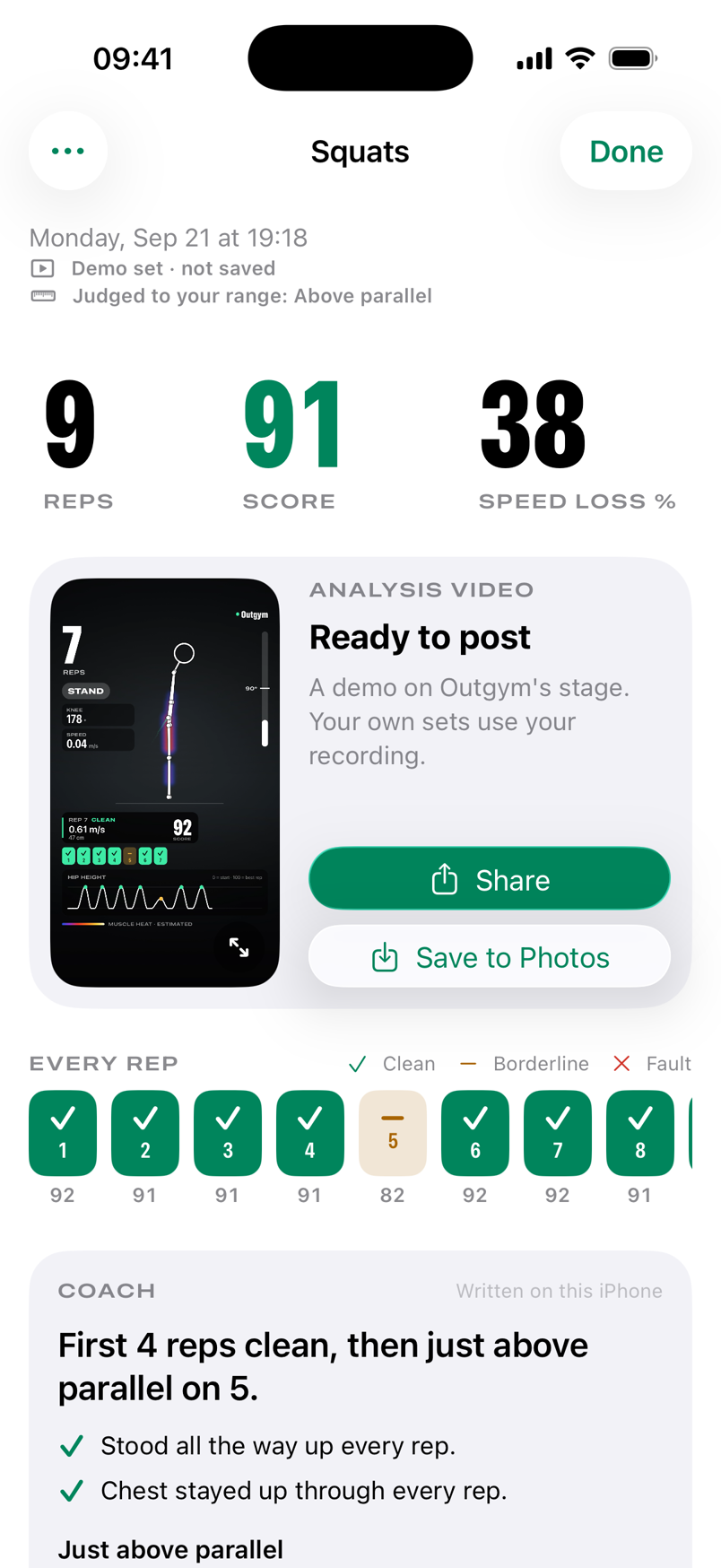
Your range
Your standard, not ours.
A knee with history. A different goal. Depth was never one size fits all, so you set it, from a picture of each depth rather than a number.
Counting, judging and your score all follow your choice. Every result, and every video you share, says which standard it was judged to.
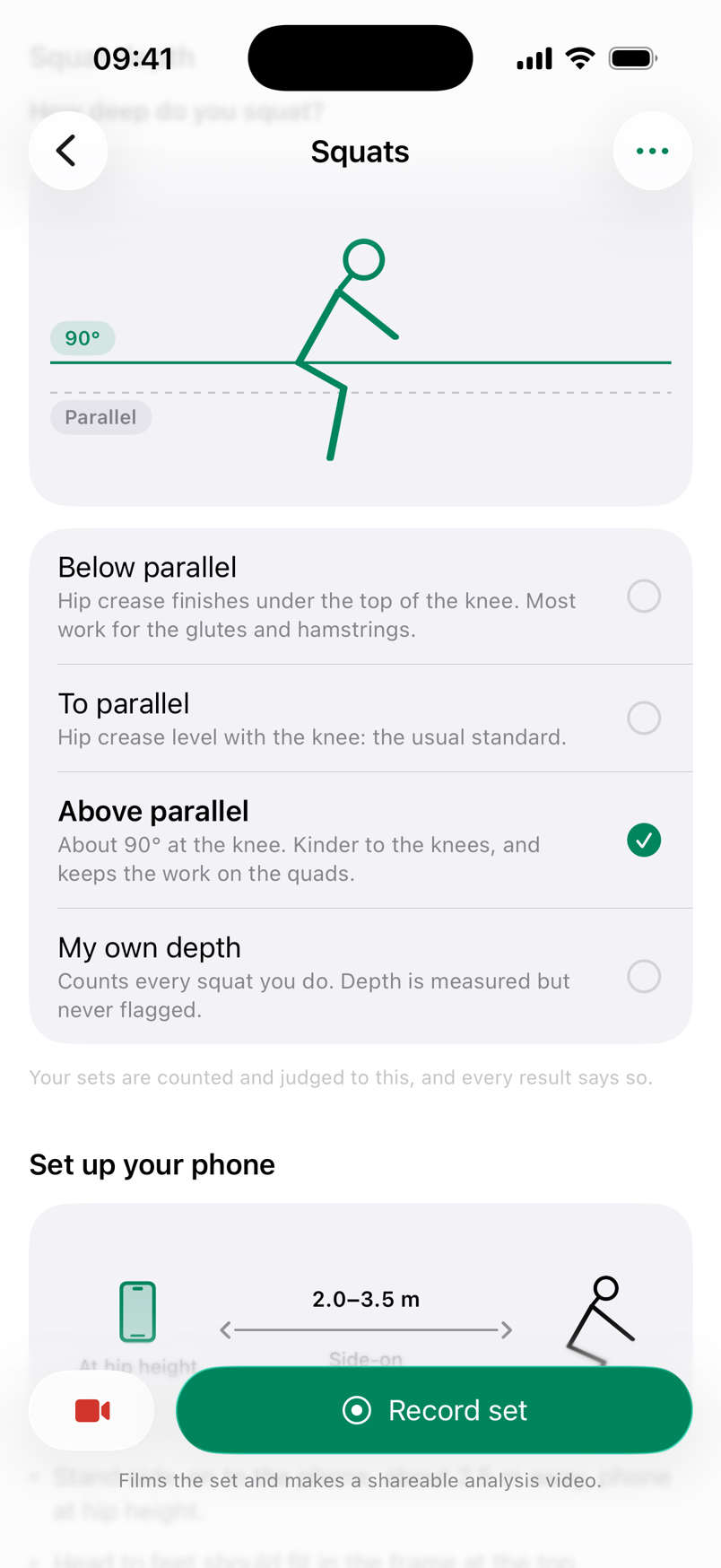
The video
A set worth posting.
One tap films the set. When you finish, Outgym makes a vertical video of it, on your iPhone, ready for wherever you post.
- Your skeletonTracked frame by frame and smoothed, so it glides with you.
- The live countAnd a verdict chip landing on every rep.
- The coach's voiceThe counts and cues you heard, on the soundtrack.
- Your scoreAnd the standard the set was judged to.
Muscle heat is an estimate, and the video says so. It paints which muscles work, and how hard, phase by phase, using effort levels from published muscle-activity studies of each exercise. On your own footage it is cut to your outline. The camera does not measure muscles.
These clips are demo sets on Outgym's stage. Your sets use your recording.
A set
Hands stay on the bar.
The phone is on the floor and you are three metres away. Nothing about a set should need you to walk back to it.
- Prop the phone up.Two to three metres away, or about half that on the 0.5× lens. Setup checks tell you when your whole body is in frame.
- Get in position.Counting starts on your first rep. There is no button to press.
- Train.A voice counts and gives one short cue per rep, over your music.
- End it from where you stand.A volume button, Camera Control, or a press on your AirPods.
After the set
Numbers that admit what they are.
One thing to fix, a drill for it, and what to do next set, written on your iPhone. Then the evidence, for anyone who wants to check.
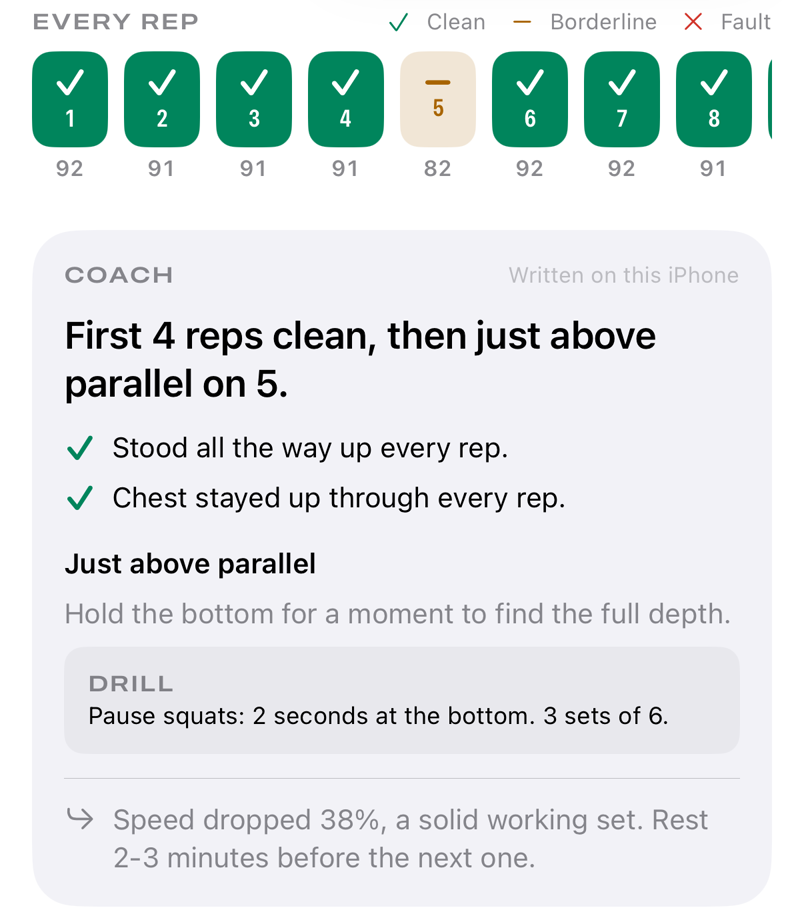
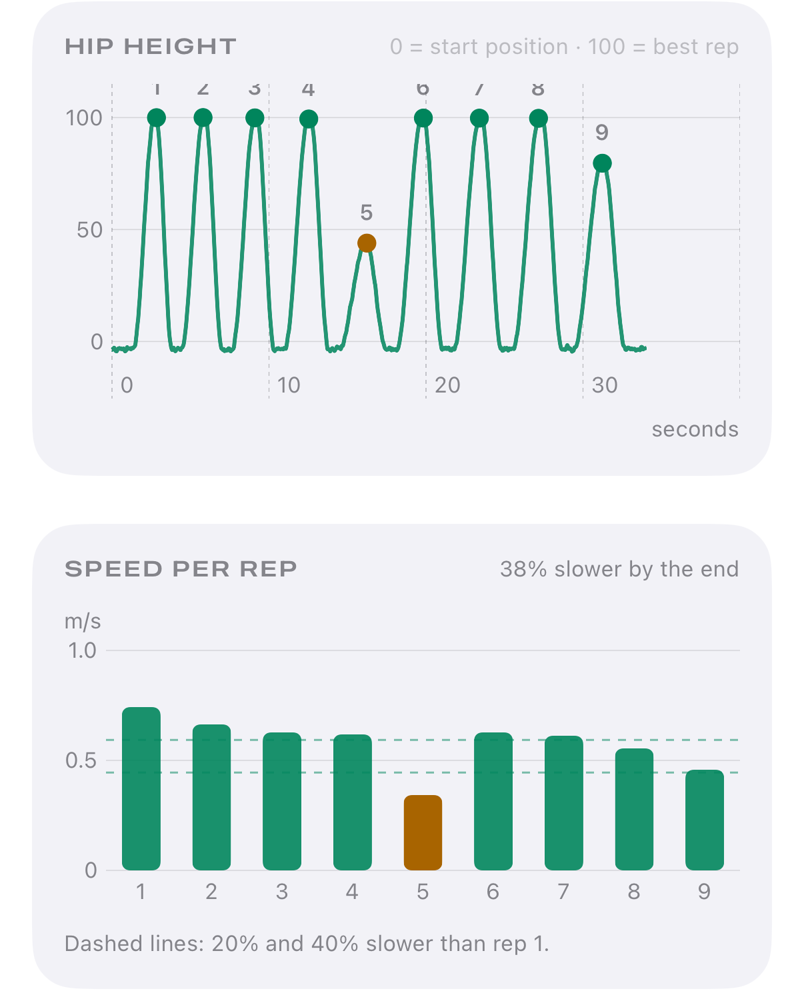
- MeasuredDepth, range, tempo and speed come from geometry, re-measured after the set with lag-free smoothing.
- ScaledDistances come from your height and the length of your limbs in the picture, typically within 10 to 15 percent.
- EstimatedAnything modelled wears an ≈. Energy is shown as a range, never a single number.
What it judges
Four to start.
| Pull-ups | Dead hang to chin over the bar, every rep. | Facing the camera |
|---|---|---|
| Push-ups | Depth, lock-out and a straight body line. | Side-on |
| Squats | Depth to your standard, and torso angle. | Side-on |
| Planks | Hold time, and the moment your hips sag. | Side-on |
| BarbellBETA | Back squat, bench press and deadlift, with bar speed, velocity zones and an estimated one-rep max. | Side-on |
Privacy
Your video never leaves your iPhone.
Every frame is analysed on the device. There is no account to create and no upload to wait for. Recordings and analysis videos stay on your phone, and expire after the time you choose unless you keep them.
What can leave the phone: anonymous usage statistics and, if you subscribe, your purchase status. Never video, body tracking or your measurements.
The detail is in the privacy policy, in plain words.
Questions
Before you prop it up.
Which iPhones does it run on?
Any iPhone running iOS 26 or later.
How far away does the phone need to be?
Two to three metres for most exercises, so your whole body is in the picture. Short on space? The back camera's 0.5× lens fits you in from about half that, and the front camera is always at its widest. The setup screen tells you what to move.
Front or back camera?
Front, if you want to see the screen while you train. Back, for the best picture. You can flip between them on the setup screen.
Can I analyse a video I already filmed?
Yes. Pick it from your library and it goes through the same engine and the same review.
Can I try it without setting anything up?
Yes. Every exercise has a demo set with a simulated athlete: live count, voice, the full review and the video.
Does it need the internet?
No. Counting, judging, the coach's notes and the video are all made on the phone.
Is it a medical device?
No. Outgym is a training aid. It does not diagnose injuries or give medical advice. If something hurts, stop, and ask someone qualified.
Outgym for iPhone
Go find a bar.
Outgym is in testing. It lands on the App Store when it is ready to judge strangers.